
LOCAL TIME/00:00:00
TOTALCLOUDONBOARDING
Qualys TotalCloud is a cloud-native security platform built for end-to-end visibility across multi-cloud environments. Without a structured onboarding experience, users struggled to get started — leading to early drop-offs and heavy reliance on support. This project focuses on simplifying that journey.Impact.
Project Objective.
First-time users of TotalCloud were met with a complex, overwhelming setup process that lacked clear direction. Without a structured onboarding flow, users struggled to understand where to begin, what to configure, and how to interpret their cloud risk posture — leading to frustration, drop-offs and heavy reliance on support.To design a self-serve onboarding experience for Qualys TotalCloud that turns an overwhelming setup into a guided, confidence-building journey, with a clear starting point, prioritized configurations, and visible progress that helps users complete setup on their own and rely less on support.
(HOW MIGHT WE)
Design a self-serve, intuitive onboarding experience for TotalCloud that simplifies complexity and accelerates setup?
(HOW MIGHT WE)
Design a self-serve, intuitive onboarding experience for TotalCloud that simplifies complexity and accelerates setup?
Current Challenges.
New users entering TotalCloud had no clear starting point — the setup felt directionless and overwhelming. Configurations were dumped all at once with no priority or guidance, and the absence of a progress indicator made the process feel endless. The result was a heavy dependence on support, with users unable to complete setup on their own.New users entering TotalCloud had no clear starting point, setup felt directionless and overwhelming. Configurations were dumped all at once with no priority or guidance, and the absence of a progress indicator made the process feel endless. The result was a heavy dependence on support, with users unable to complete setup on their own.
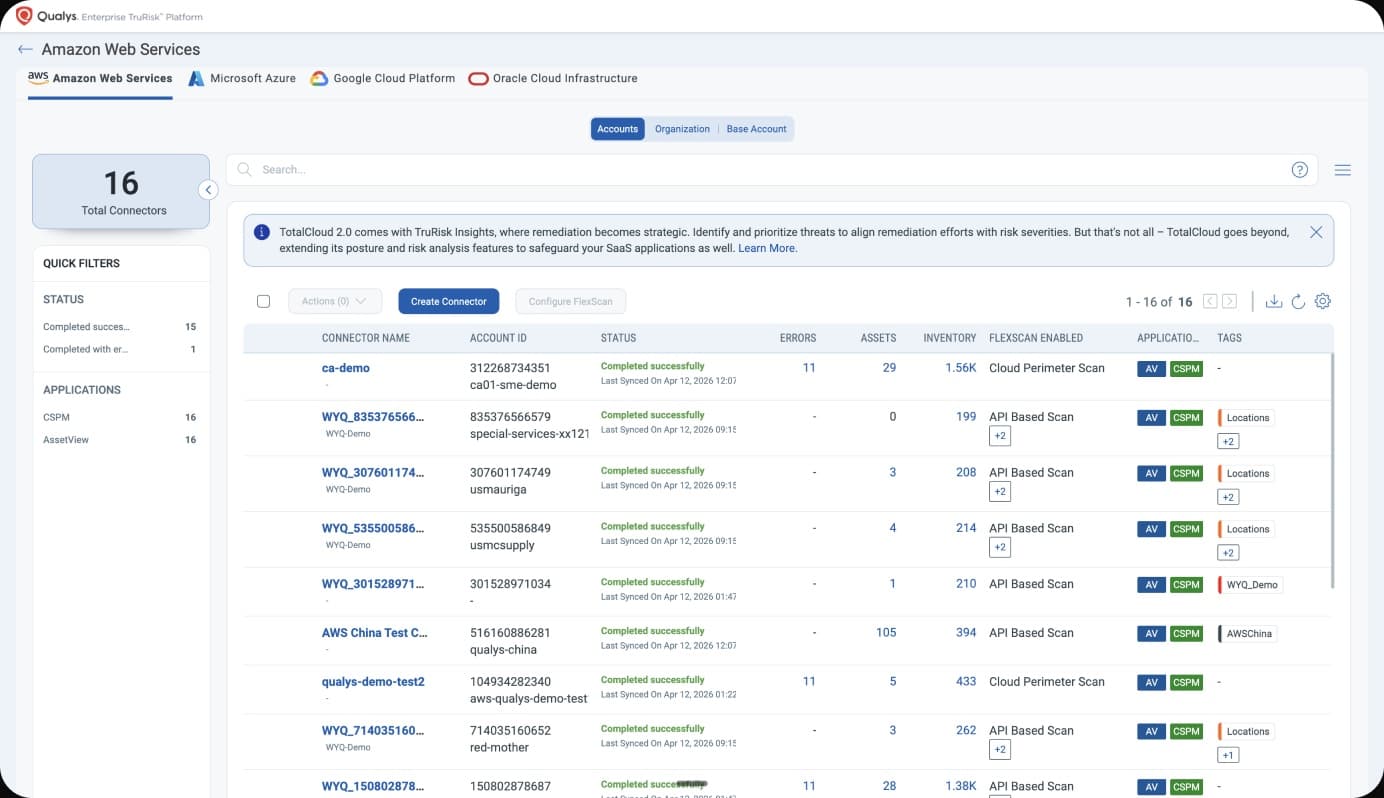
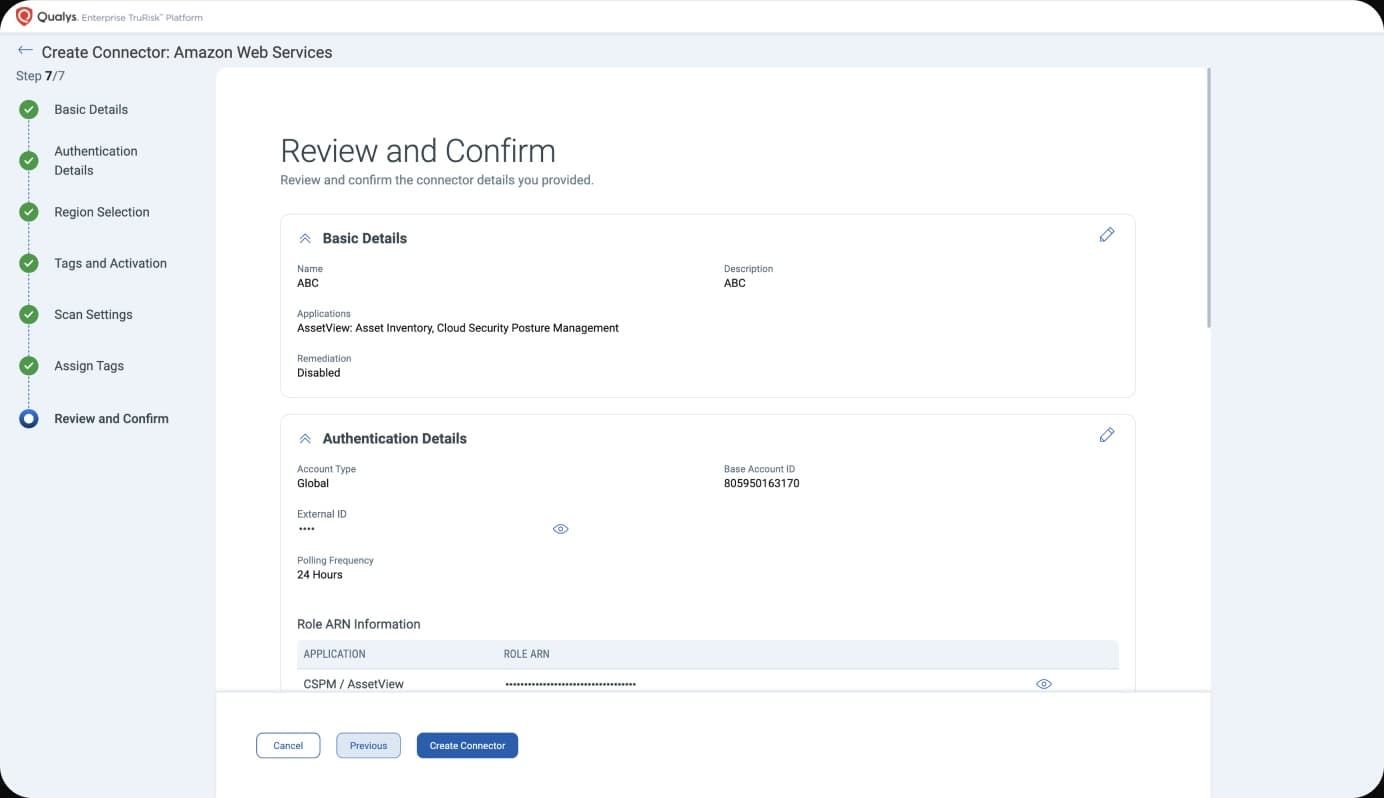
Solutions.
We redesigned the TotalCloud onboarding from the ground up — replacing a fragmented, open-ended setup with a guided, wizard-driven flow. The new experience breaks the process into clear, sequential steps, provides contextual guidance at each stage, and runs background automation in parallel so users reach value faster without needing support.We redesigned the TotalCloud onboarding from the ground up, replacing a fragmented, open-ended setup with a guided, wizard-driven flow. The new experience breaks the process into clear, sequential steps, provides contextual guidance at each stage, and runs background automation in parallel so users reach value faster without needing support.
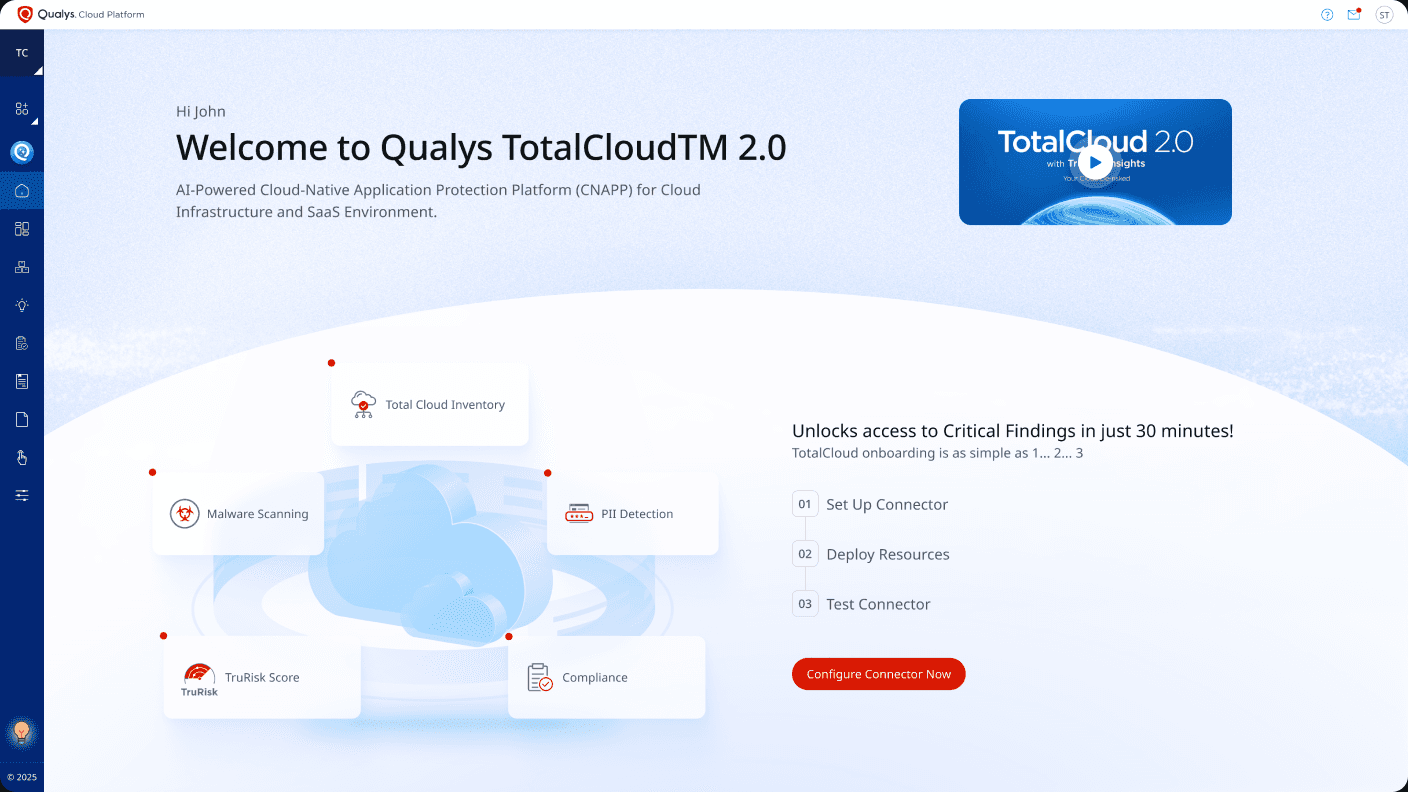
Landing Page
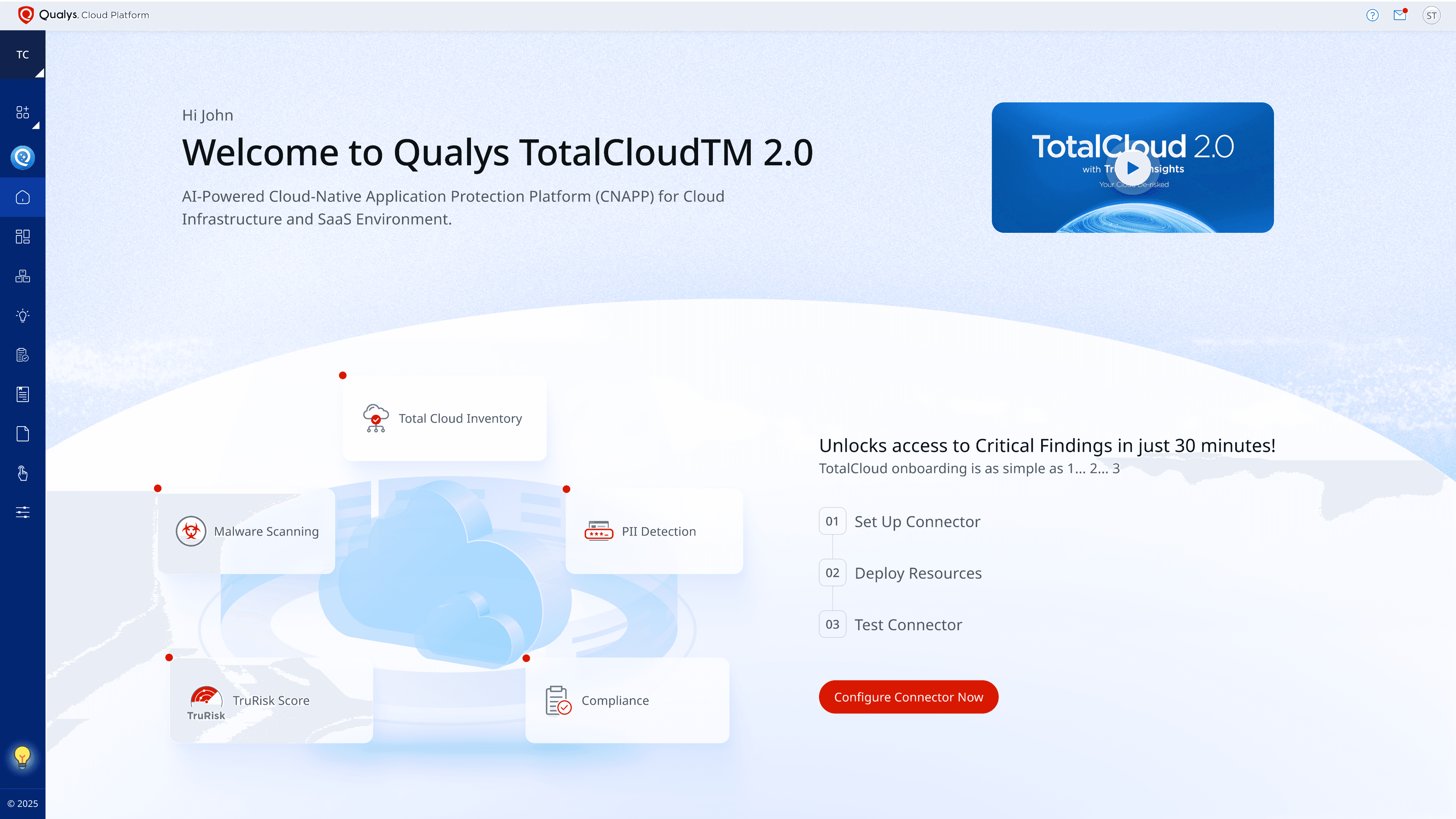
The welcome screen sets the tone — communicating key capabilities, a clear 3-step path, and an intro video to orient users before they begin setup.
A quick look at the product in action
A simple 3-step path to get started
Key capabilities at a glance
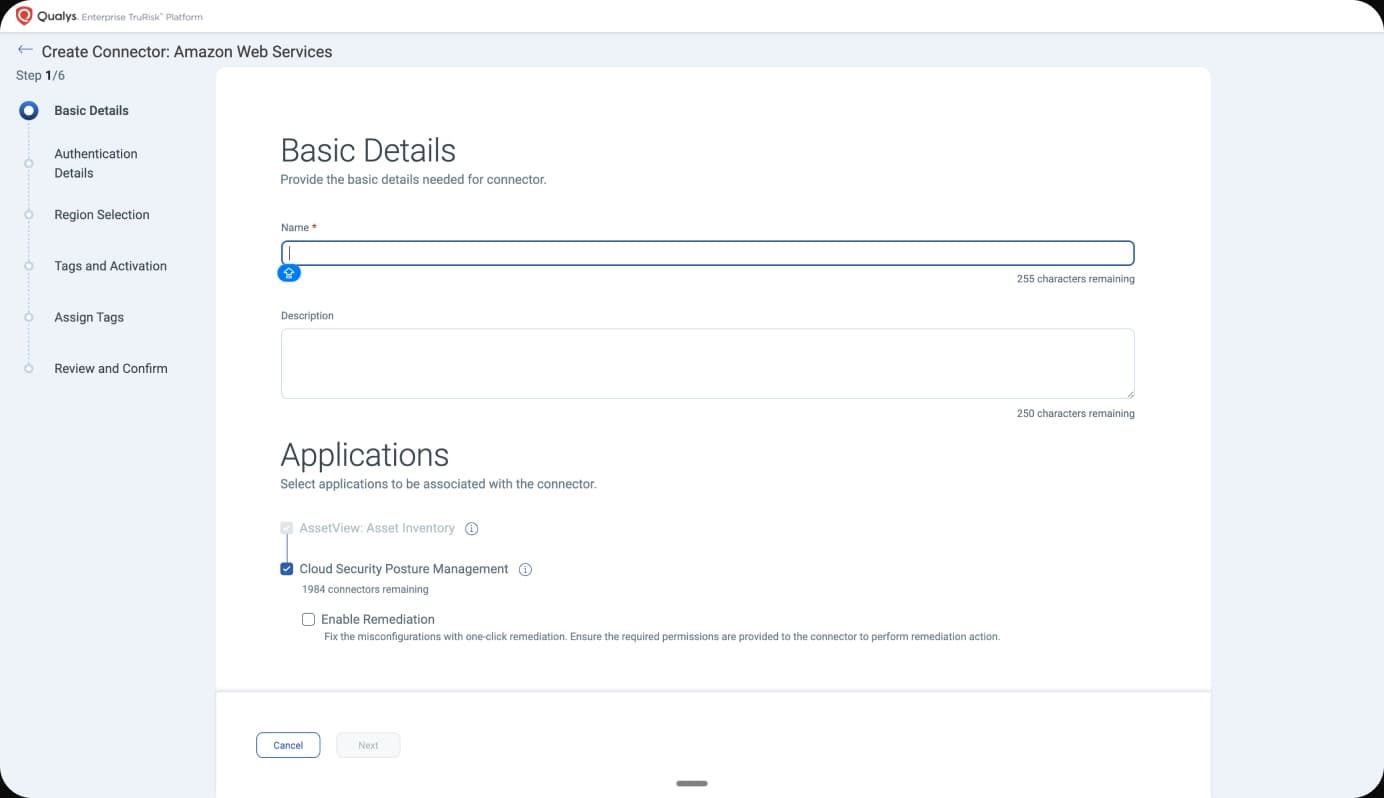
Step 1: Select Cloud ProviderStep 1: Select Cloud Provider
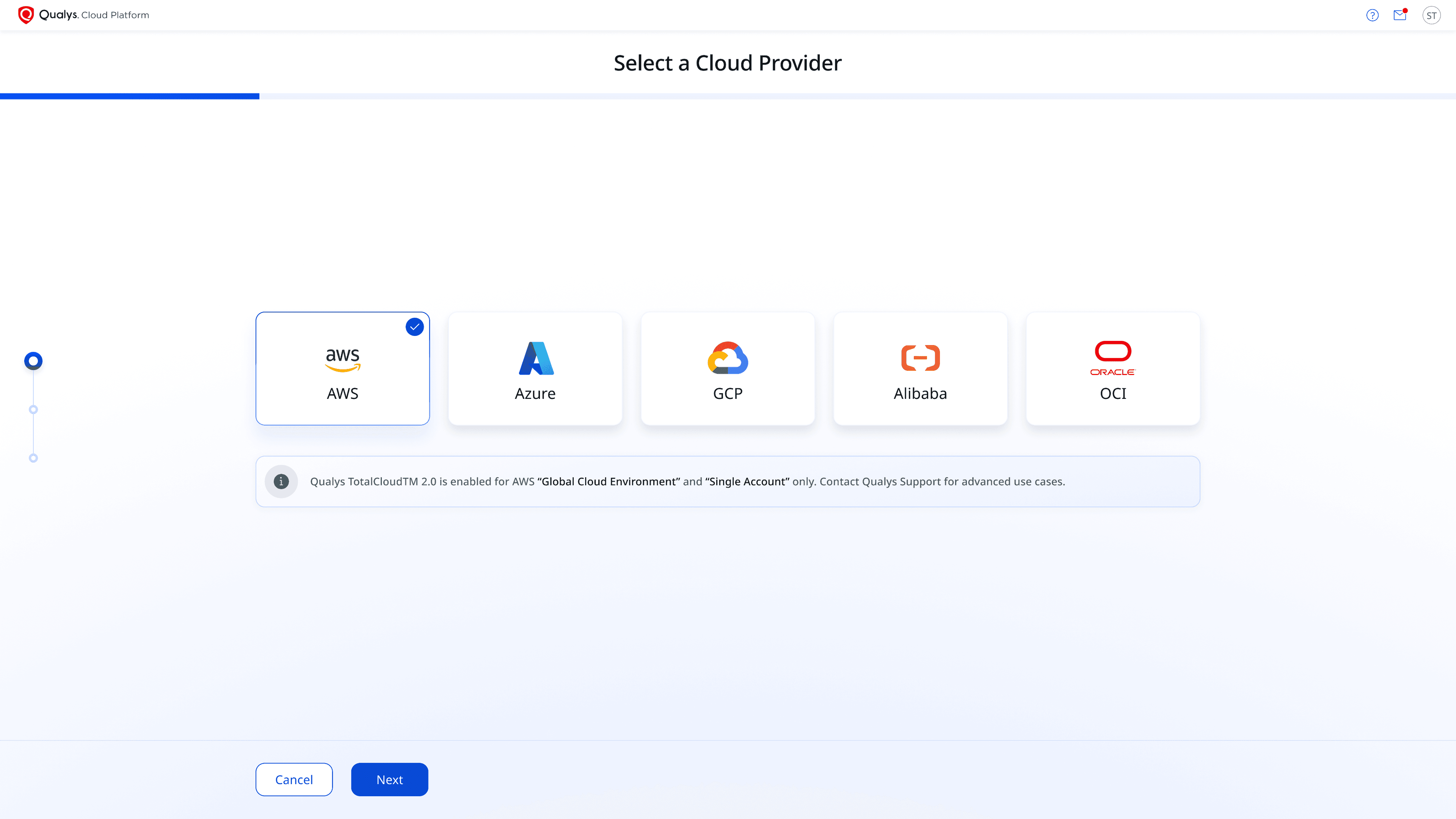
The first step presents all supported cloud providers in a clean, familiar card layout. AWS is highlighted as the most common entry point. A progress bar at the top keeps users oriented throughout the flow, and a contextual note clarifies any environment-specific limitations upfront — eliminating surprises later.
Users select from all major cloud providers
Progress Loader
Clear actions that keep users in control at every step
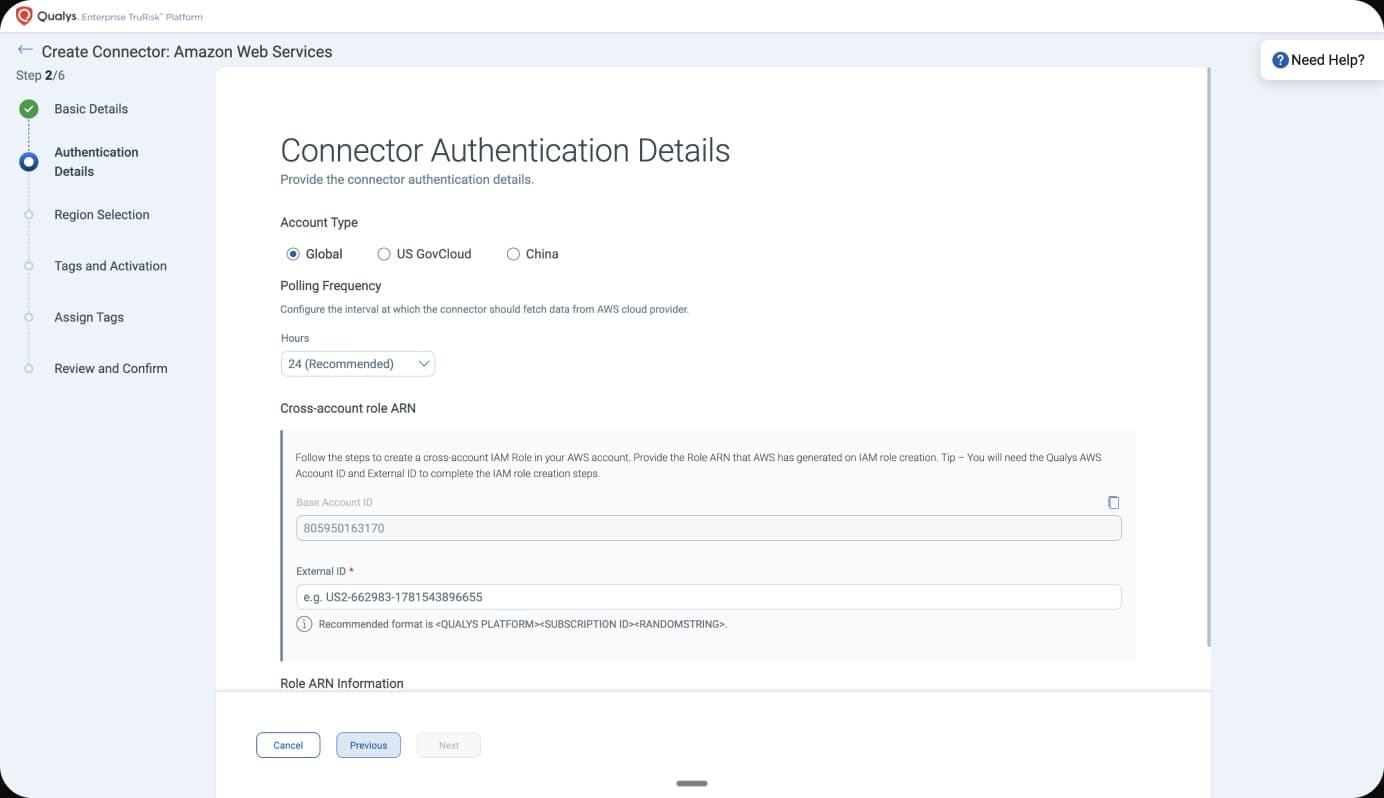
Step 2: Deploy ResourcesStep 2: Deploy Resources
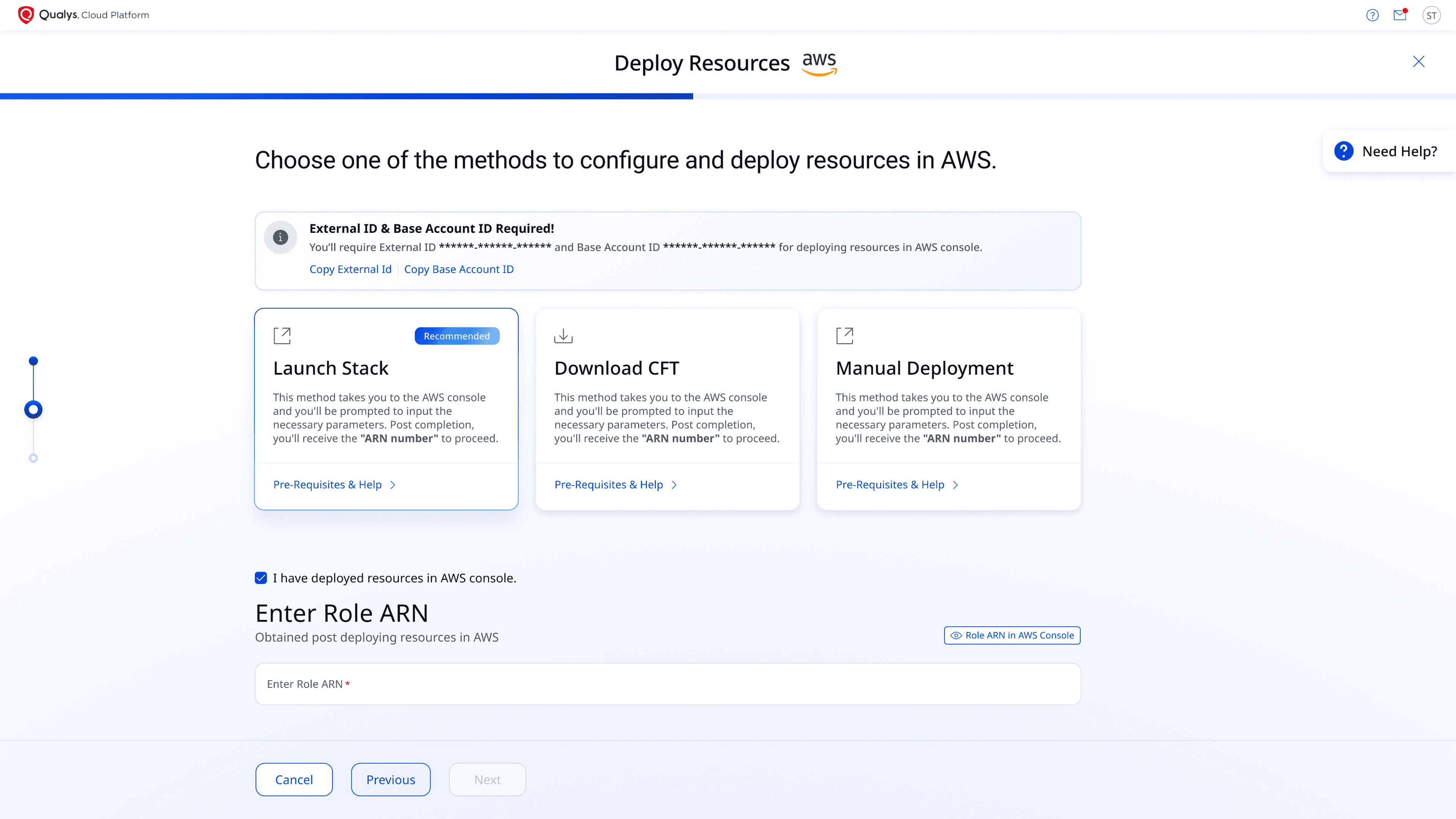
Users are given three flexible deployment paths — Launch Stack, Download CFT, or Manual Deployment — catering to different technical setups and org policies. Once resources are deployed in AWS, they confirm by entering the Role ARN, which is validated in real time before proceeding.
Flexible deployment methods for different org environments.
Direction on how to get the Role ARN
Progress Loader
A gate that prevents users from skipping the deployment step
Step 3: Test ConnectionStep 3: Test Connection
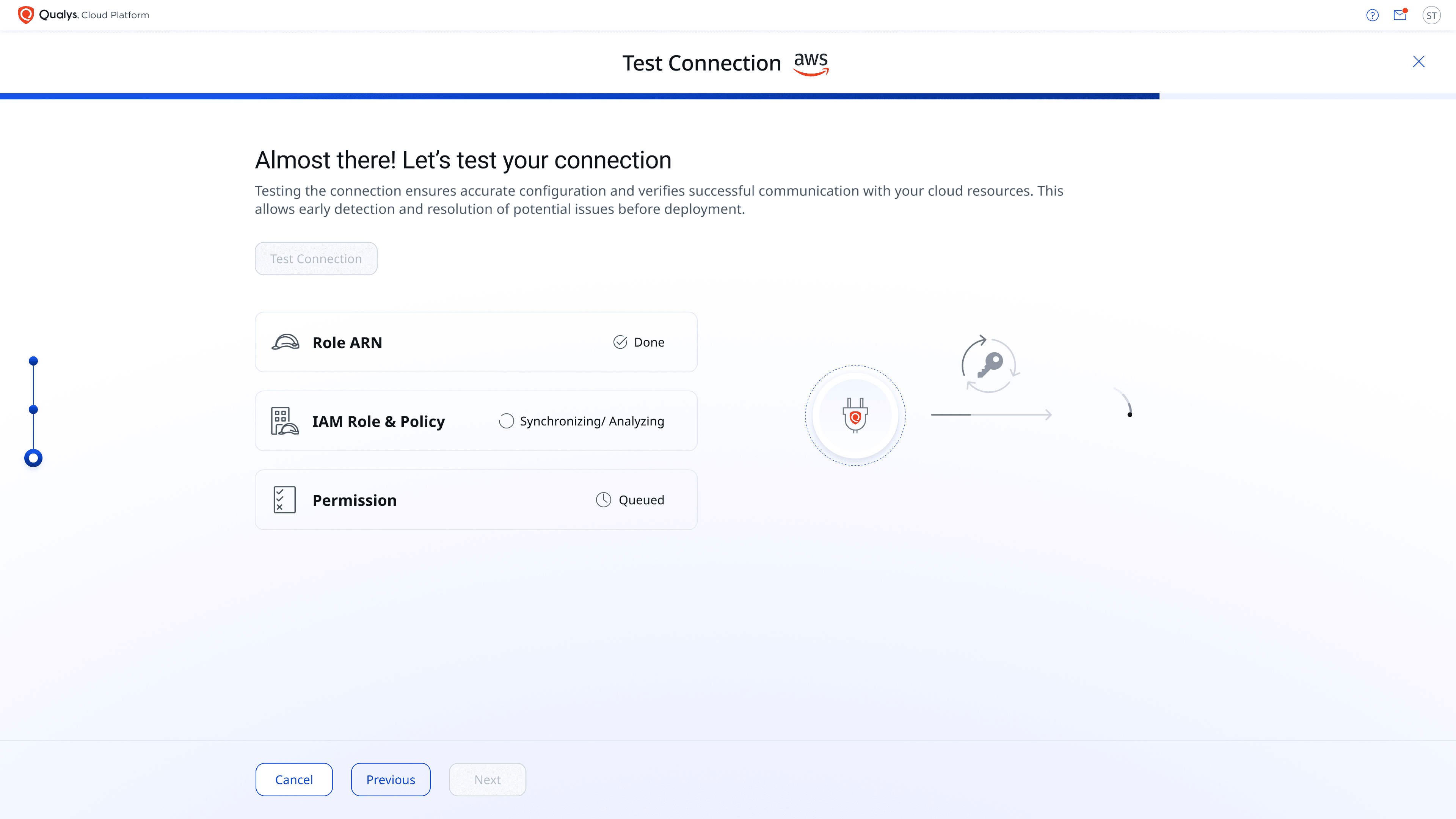
The final step validates the entire connector setup in real time. Each check — Role ARN, IAM Role & Policy, and Permissions — runs sequentially with live status indicators, giving users full visibility and immediate feedback on any issues before completing setup.
Reassures users the connection check is actively running
One tap kicks off the full connection test
Automated Steps
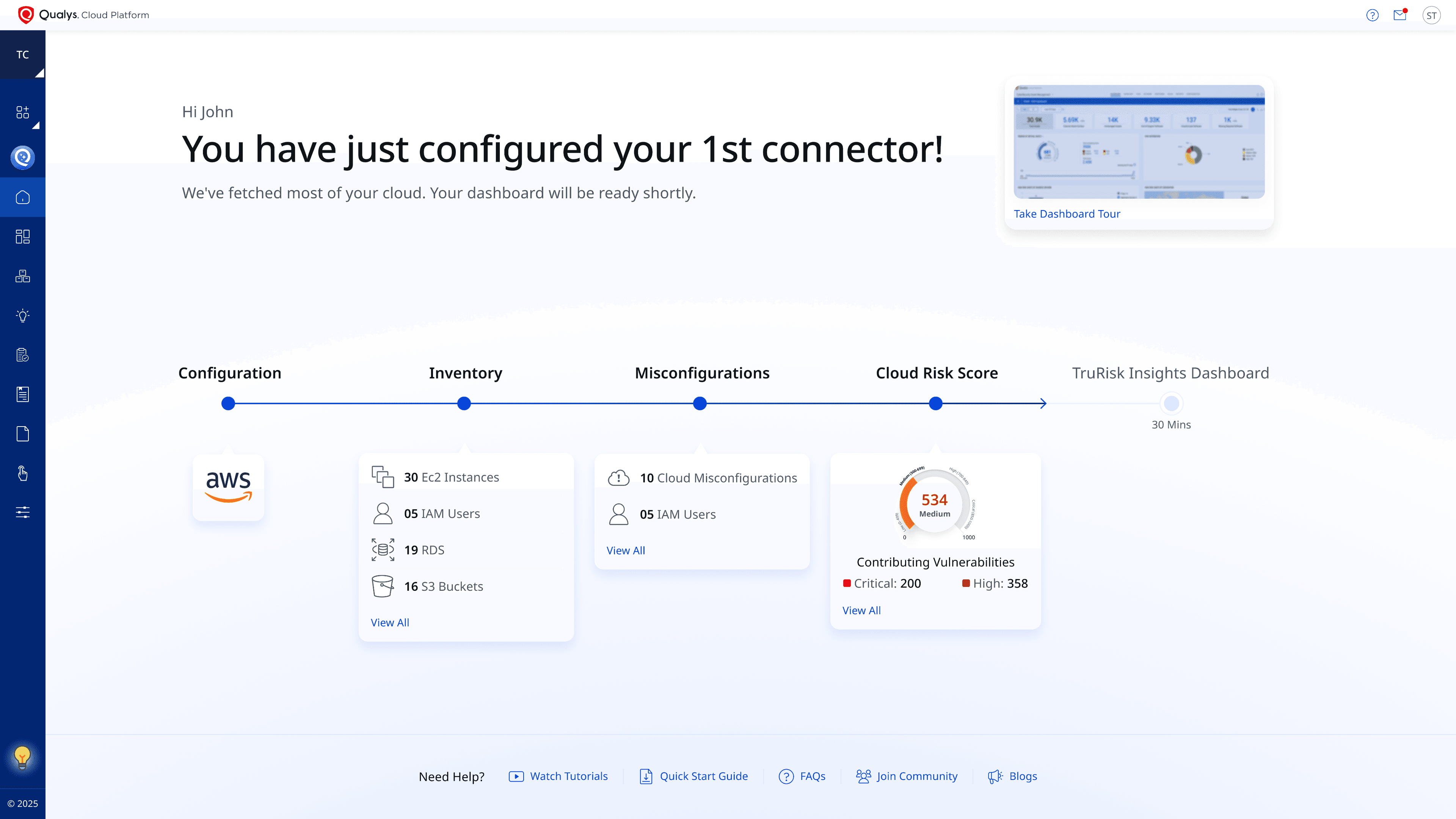
Once the connector is verified, TotalCloud takes over. Cloud data is fetched and processed in the background while users can immediately begin exploring the dashboard and key product areas — turning what used to be idle wait time into productive discovery time.
Users can take a dashboard tour while setup completes in the background
Users can access help resources and product guides from this section
At this phase, the user can start exploring the tabs
The setup will complete in the background
Before - After ComparisonBefore — After Comparison
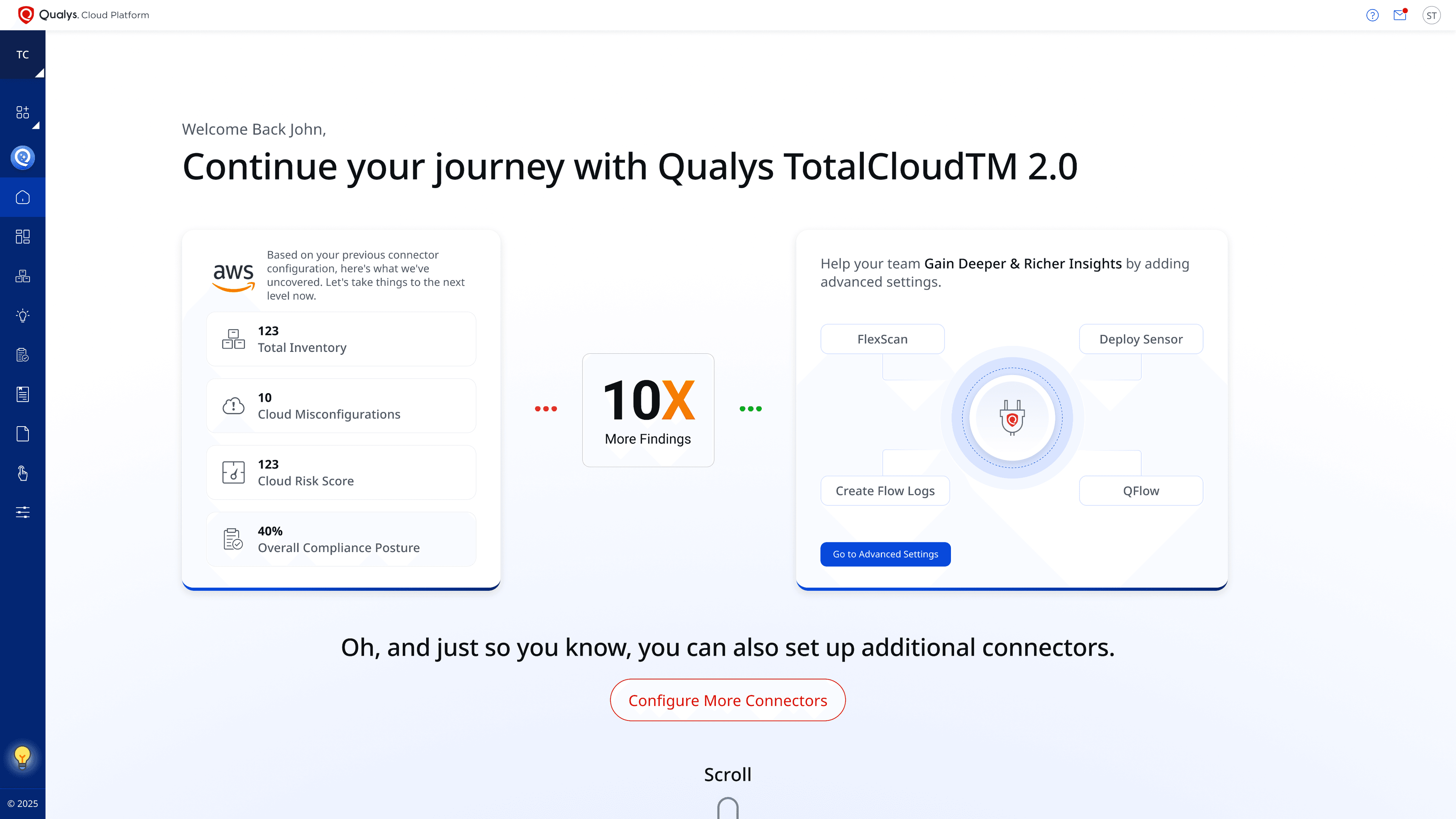
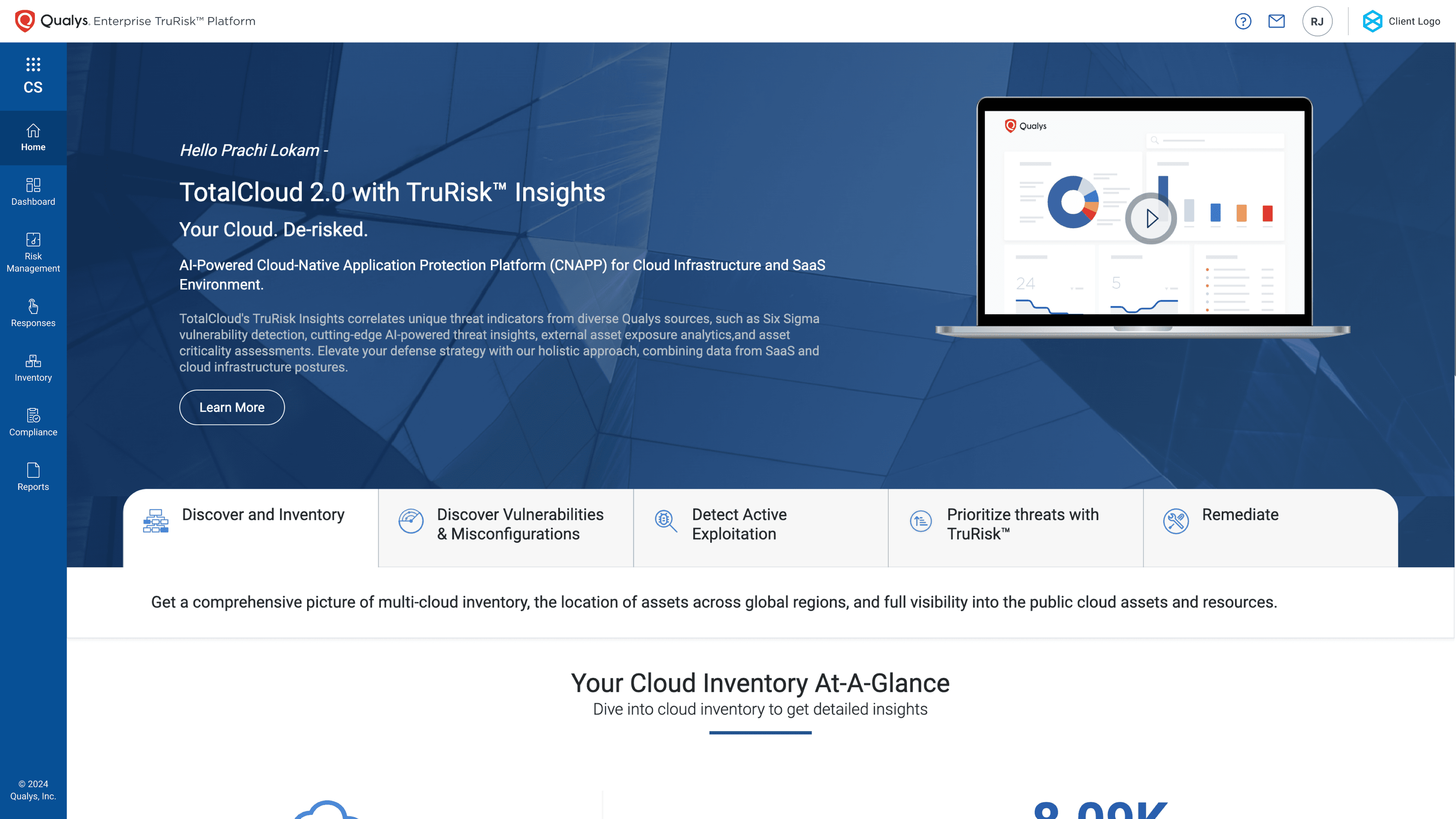
The slider illustrates the full transformation — from a complex, unfocused product landing to a streamlined, goal-oriented onboarding wizard. The contrast highlights the gains in clarity, intent, and user confidence right from the very first interaction.
Impact.
The redesigned onboarding flow delivered measurable results — reducing friction at every step and empowering users to set up independently with confidence.The redesigned onboarding flow increased revenue by 63% thus reducing friction at every step and empowering users to set up independently with confidence.
LET’S CREATELET’S CREATE
TOGETHER
(EMAIL)
me@parthsuratwala.com(PHONE)
+91 9822444580